The RSS Feed item type is used to display items from an external RSS feed. For general information on working with items check out the following articles:
RSS Feed Settings
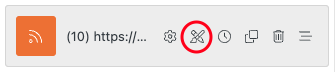
Select the Gear/Edit icon shown on your RSS Feed item to adjust the settings.

General Settings
- Feed URL – Add the RSS feed URL.
- Limit – Set the number of feed items to display.
- Offset – Set an offset from the latest feed item.

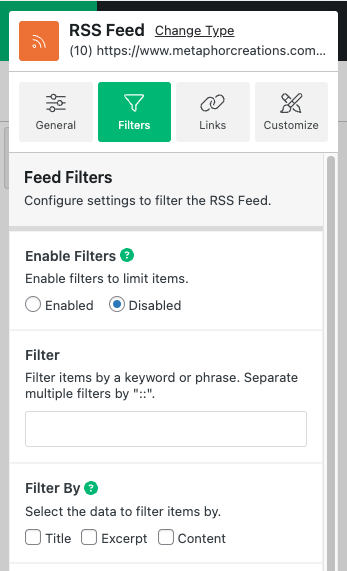
Filters
Configure settings to filter the RSS Feed to show items with specific keywords contained in title or content of the items.
- Enable Filters – Enable filters to limit items.
- Filter – Filter items by a keyword or phrase. Separate multiple filters by “::”.
- Filter By – Select the data to filter items by.
- Filter relationship – Choose how you want to use multiple filters.
Links
Configure global link settings for this items elements.
- Link Target – Set a target for your links.
- Link No Follow – Enabling this setting will add an attribute called ‘nofollow’ to your links. This tells search engines to not follow this link.

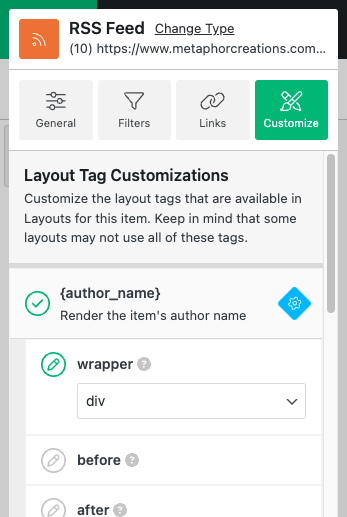
Customize (Layout Tags)
Customize the layout tags used in the layout for an RSS Feed item. Keep in mind that your layout may not use all of the tags shown on this panel. If the tag is not included in your layout, modifications in this panel will have no effect.
- Click the checkmark next to each tag to toggle visibility.
- Click the gear icon to open the available attributes for each tag.
- If you want to modify an attribute, click the pencil icon next to the attribute name. This will open a field to set a custom value for the attribute.
For more information view the documentation here: https://www.metaphorcreations.com/article/ditty/general/adding-new-items/#customize-tab
RSS Feed Layout Settings
Select the Pencil/Brush icon shown on your RSS Feed item to modify the layout for the item. Read more about what Layouts are and how they are used here: https://www.metaphorcreations.com/article/ditty/general/using-layouts/
HTML Tags
The following tags are available to use with the RSS Feed Item type.
- {author_name} – Render the item’s author name.
- {categories} – Render the item’s categories.
- {content} – Render the item’s content.
- {custom_field} – Render a custom field for the item.
- {excerpt} – Render the item’s excerpt.
- {icon} – Render the item’s icon.
- {image} – Render the item’s image.
- {image_url} – Render the item’s image url.
- {permalink} – Render the item’s permalink.
- {source} – Render the source of the item.
- {time} – Render the item’s date/time.
- {title} – Render the item’s title.

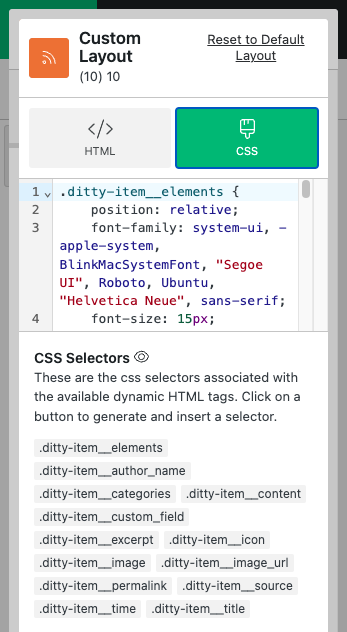
CSS Selectors
The following css classed are available to use with the RSS Feed Item type.
- .ditty-item__elements – The container wrapping around the item’s content.
- .ditty-item__author_name
- .ditty-item__categories
- .ditty-item__content
- .ditty-item__custom_field
- .ditty-item__excerpt
- .ditty-item__icon
- .ditty-item__image
- .ditty-item__image_url
- .ditty-item__source
- .ditty-item__time
- .ditty-item__title